
Editor's note: I wish I had known about this one on a few specific mornings: the ones where I had stared at the same Wordle row for ten minutes, or had a Pairdle board half-solved and a pair of letters I could not place. I have a long-standing objection to tools that just print the answer at you, so I went in sceptical. What changed my mind was not the word list. It was the filters, which let you reveal a little instead of everything.
Disclosure: LK Forge approached us about covering this tool and links back to us in return. No money changed hands, and I tested everything below myself. Full disclosure at the end.
Every word-game player hits the wall. Four rows into Wordle with two letters confirmed and nowhere to put them. A Scrabble rack that is all consonants and an I. A daily anagram that simply will not resolve, and the growing suspicion that you are missing something obvious.
At that point you have three options: walk away, guess and burn a row, or look something up. The third one has a bad reputation it mostly does not deserve, but only if you use it properly. Used badly, a word unscrambler ends your puzzle. Used well, it gets you moving again and leaves the solve yours.
The tool I have been using for this is the free Word Unscrambler at LK Forge. It runs in the browser, needs no sign-up, and I tested everything below myself before writing it up. What follows is as much about technique as about the tool. Most of it transfers to any unscrambler you prefer.
What an unscrambler actually does
Getting this part wrong is the most common mistake people make with these tools.
An unscrambler is an anagram engine. You give it a bag of letters, and it returns every word in its dictionary that can be built from that bag. It does not know where the letters go. It does not know your puzzle. It has no concept of position unless you tell it.
Get that wrong and you drown in results.
The basic loop
Type your letters, press Unscramble It. Feed it a jumble like TNEISAL and you get 243 words, grouped by length, longest first. The seven-letter plays (SALIENT, ENTAILS, SALTINE, ELASTIN and three more) sit at the top, two-letter words at the bottom.
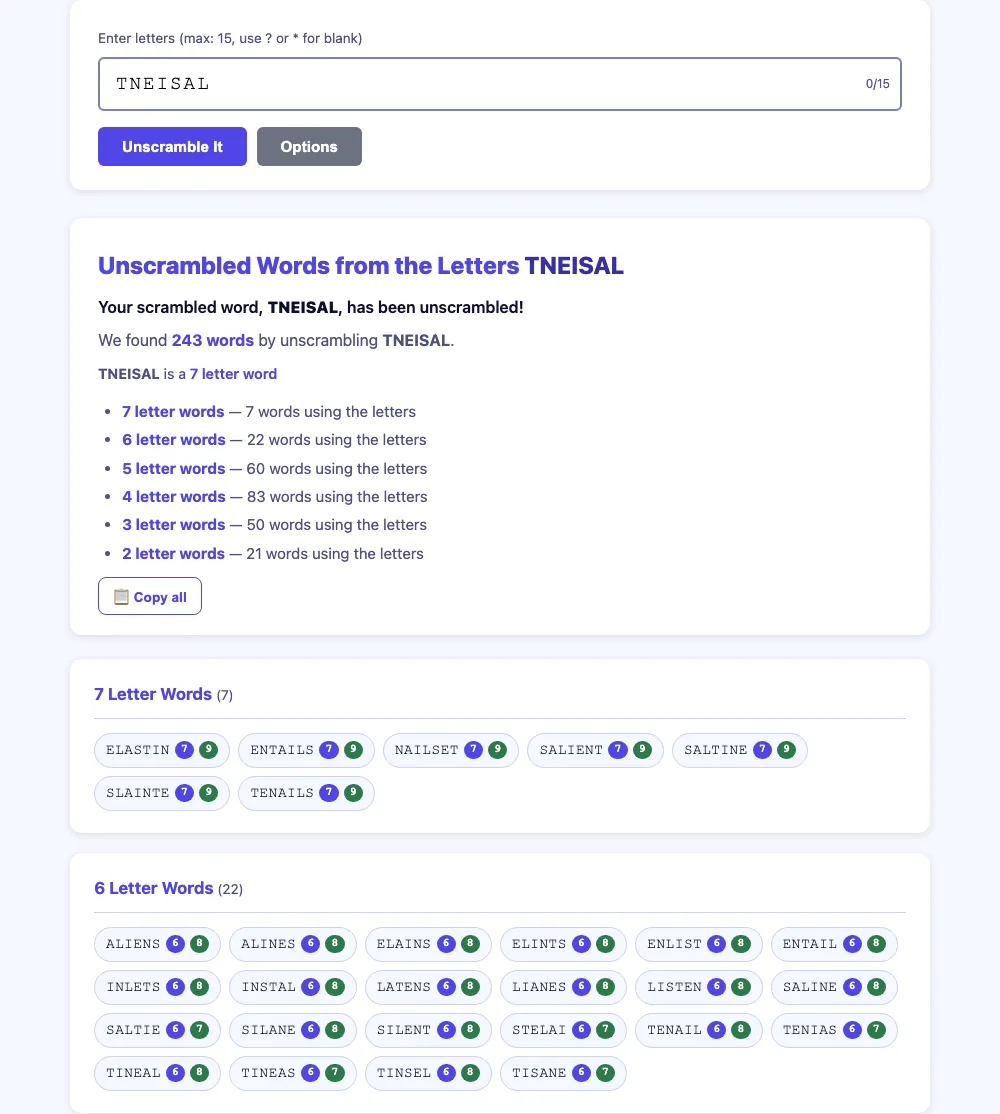
Each result carries its Scrabble and Words With Friends point values on two small badges. For a Scrabble rack that helps: the longest word and the highest-scoring word are often not the same word, and seeing both at once is faster than working it out. If you want to know why, our post on high-value Scrabble tiles covers which letters are worth chasing.
The grouping by length does more than it looks. Staring at a rack, the question in your head is usually "what is the longest thing I can make?", and the answer sits at the top of the page.
The blank tile does not do what you think
This is where most write-ups about unscramblers go wrong, including the one that prompted this post.
You can type ? or * as a wildcard, up to two of them. Everyone assumes this means positional matching: that CRA?E asks for a five-letter word reading C-R-A-something-E.
It does not. Watch what the tool actually reports back:
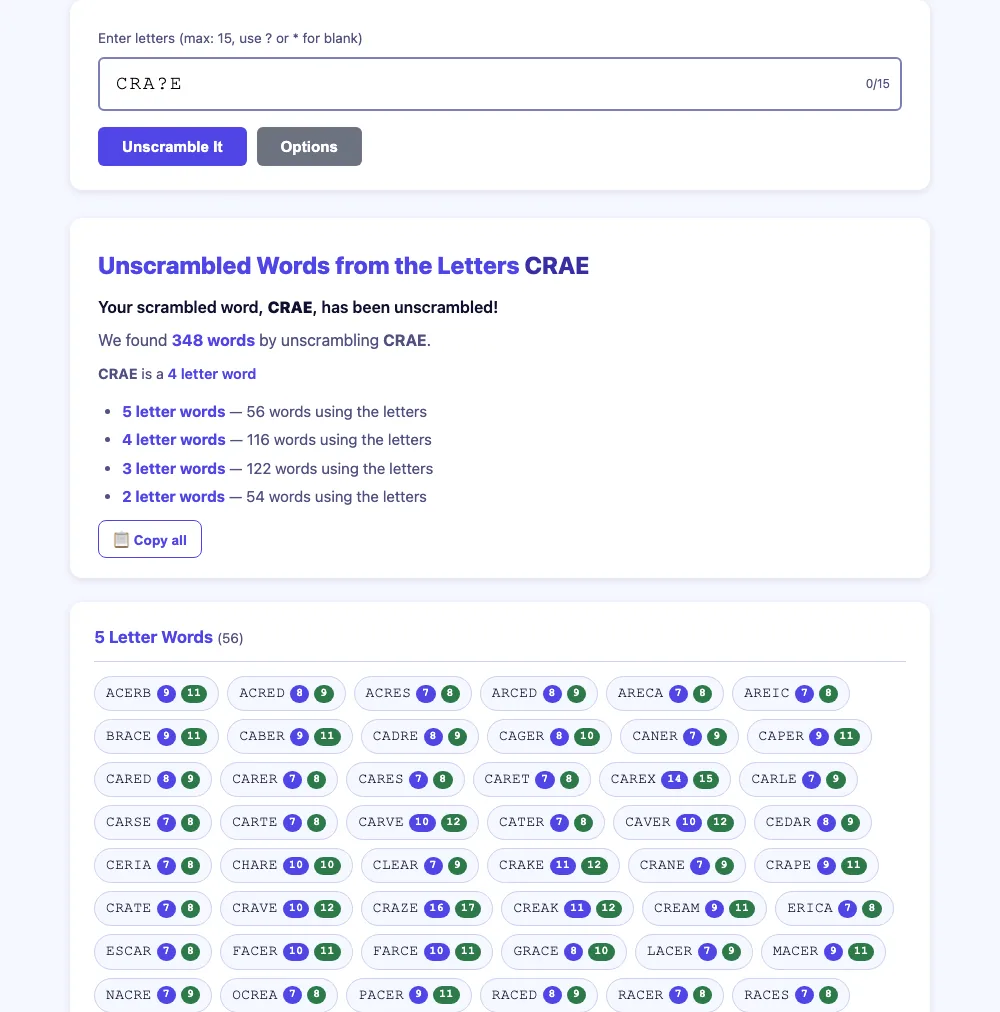
Look at the heading: "Unscrambled Words from the Letters CRAE." The ? was not treated as a position. It was stripped out and added to your bag as a blank tile, a letter with no face value that can become anything. So the tool went looking for every word buildable from C, R, A, E plus one free letter, and found 348 of them.
That is the right behaviour for Scrabble, where a blank tile is exactly that. For a Wordle row it is the wrong tool. Of the 60 five-letter results it returns, only six match C-R-A-_-E. The other 54 (ACERB, BRACE, CEDAR, GRACE) are noise, and you have to read all of them to find the ones that fit.
Use the wildcard when you are holding a physical blank tile. Do not use it to describe a pattern.
Narrowing: the part that actually solves a row
The pattern controls live behind the Options button, and they are the reason to bother with this tool at all.
- Starts with / Ends with: for letters a green tile has already pinned in place.
- Contains: forces a letter you know is in the word to appear in every result. This is your Wordle yellow.
- Length: lock it to your puzzle. Five for Wordle, seven for a rack you want to clear in one move. It runs from 2 up to 11+.
- Sort by: length, Scrabble points, WWF points, or alphabetical, depending on whether you are chasing a solve or a score.
- Dictionary: the full ENABLE list, or common words only. If you are solving a mainstream daily puzzle, "common words only" cuts a lot of chaff, since dailies rarely use words like SERAC or OCREA.
Take the same C-R-A-E situation and express it properly: starts with CRA, ends with E, length 5.
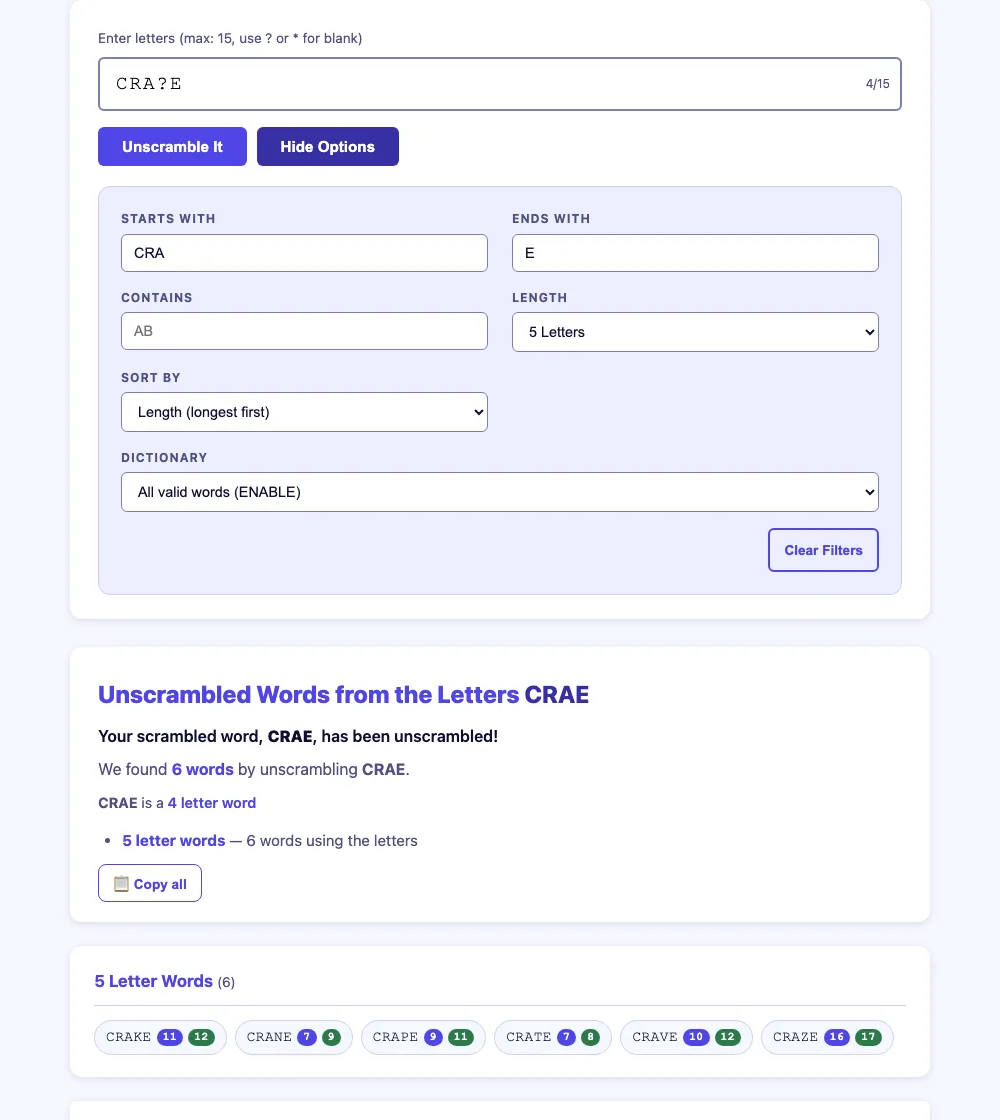
Sixty results down to six: CRAKE, CRANE, CRAPE, CRATE, CRAVE, CRAZE. That is a shortlist you can think your way through, and thinking your way through a shortlist is still solving the puzzle.
One note that cost me a few minutes: setting a filter does not re-run the search on its own. Change your filters, then press Unscramble It again. If the results look untouched, that is why.
Reveal a little, not everything
The technique that keeps a puzzle intact is deliberately stopping short.
Filter to the right length and pattern, then count how many candidates came back before you read the words. Six is a puzzle you can still finish yourself. One is the answer, and you have just ended your own morning.
So aim for the middle. Add the constraints you have earned (the greens and yellows you already know) and no more. Do not add a guess as a constraint. A wrong guess narrows you straight to a wrong shortlist and you will trust it. With the list down to five or six, you will often spot the word yourself before you finish reading it. That still counts. You did the last step.
If you want to get stuck less often in the first place, that is a different skill, and a more useful one. Opening strength is most of it, which is what our Wordle starting word calculator and our notes on the best Wordle starting words are for. Knowing how anagrams actually work and recognising common letter pairs in English will do more for your solve rate over a month than any lookup tool will.
Bottom line
A word unscrambler is a hint button whose strength you set. The filters matter more than the word list behind them.
Three things to remember. The wildcard is a blank tile, not a position. The pattern filters turn a wall of results into a shortlist. And you have to press the button again after you change them.
Lock the length to your game, tell it the letters you have confirmed, and stop reading as soon as the list is short enough to think about. The puzzle stays yours.
Try it free, no sign-up: lkforge.com/tools/wordunscrambler
Disclosure: LK Forge approached us about covering this tool and is linking to Logic Loft Games in return. No money changed hands. We tested the tool ourselves and took our own screenshots rather than publishing supplied copy. Because there is a link arrangement, our links to them are marked sponsored so they pass no ranking credit.
Related articles
Boggle Got Easier in 1987. It Also Lost 735 Words.
Parker Brothers replaced every Boggle die in 1987 and never said why. We simulated 100,000 boards on both sets: more words per board, 735 words lost.
Why Boggle Hates Coffee, Pizza and the Bible
COFFEE, PIZZA, BIBLE, OFF, JOB, KICK and about 10,000 other words can never appear on a Boggle board. Three rules built into the dice explain every one.
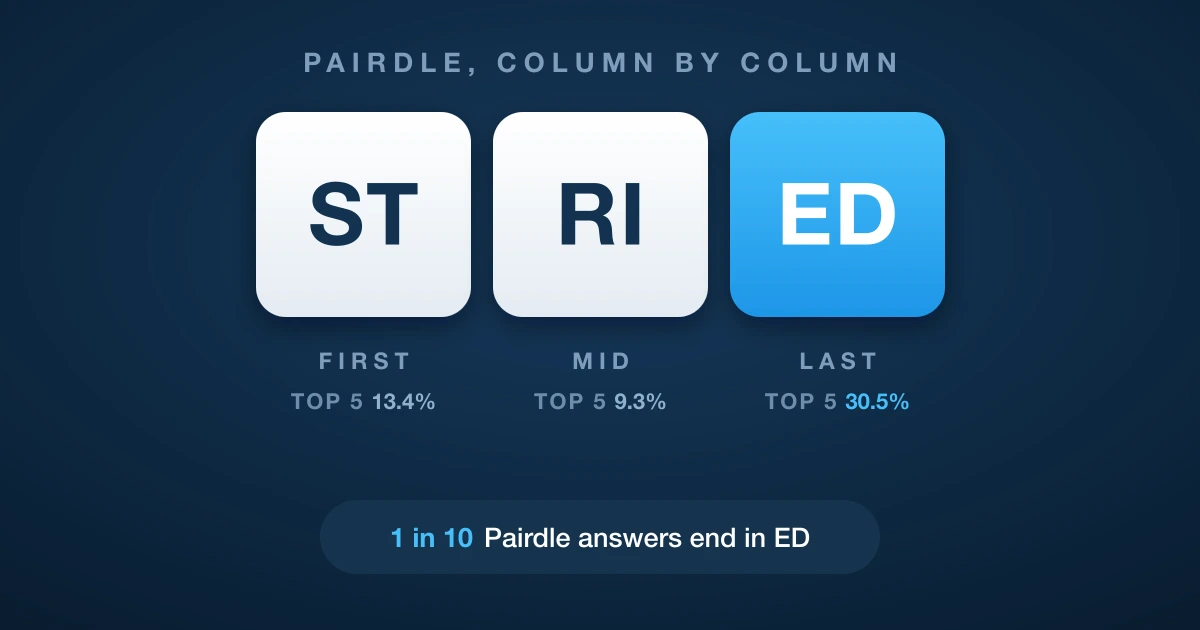
How to Master Pairdle, Column by Column
I counted the letter pairs in every answer on the Pairdle 1.5 schedule. The three boxes are nothing alike, and the last one is by far the easiest to call.