
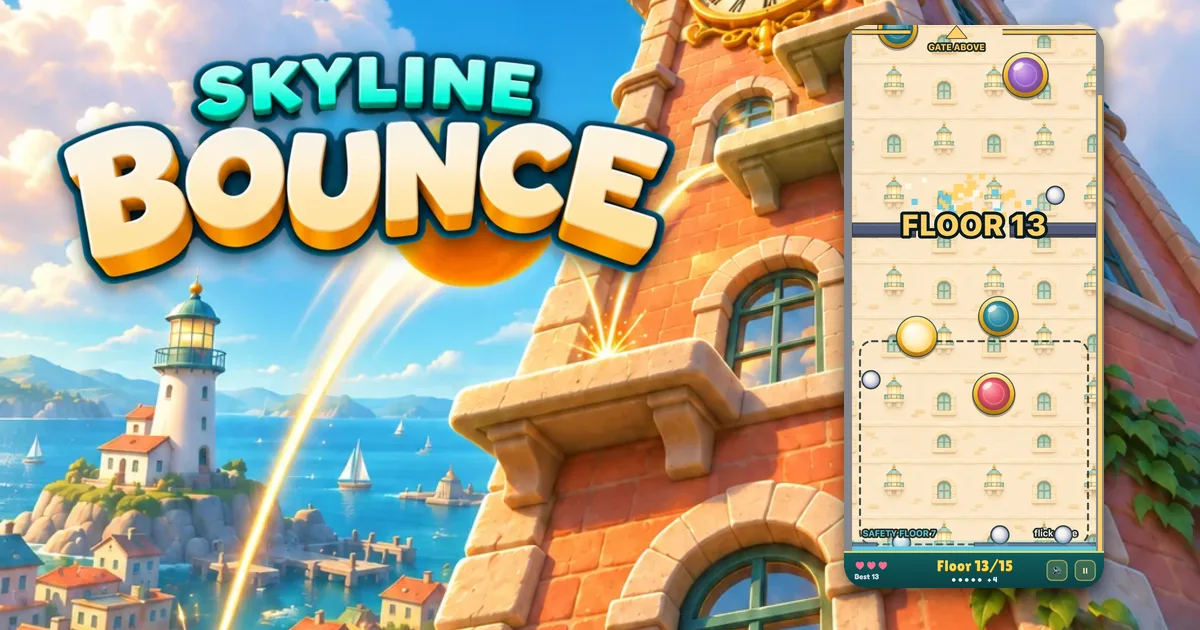
Skyline Bounce is our new game for iPhone and Android. You flick balls up the side of a tall building, through a gold gate on every floor, and try to reach the top. The shortest tower is 12 floors. The tallest is 180. You can get it here.
Every number in this guide comes from the game's own rules, and every screenshot is from the game as it is now.
The goal
Each floor of a tower ends in a gate. A gate is a gold bar across the whole building with one gap in it. Get a ball through the gap and you climb one floor. The screen moves up with you and never comes back down.
Get through the gate at the very top and the tower is climbed. In Endless there is no top, so the goal is just to go as high as you can.
How to flick a ball
The lower part of the screen has a dashed box marked flick zone. That is where your finger works.
- Put your finger on a ball inside the flick zone. The ball almost stops, as if you caught it.
- Move your finger the way you want it to go.
- The ball flies off that way.
Every flick sends the ball off at the same strong speed, however hard or soft you swipe. So you don't need a big swipe. A short, clean move in the right direction is all it takes. You can also swipe straight through a ball without stopping it first, and it flies the same way.
Don't hold on too long. After about half a second a caught ball slips out of your finger and starts to fall again.
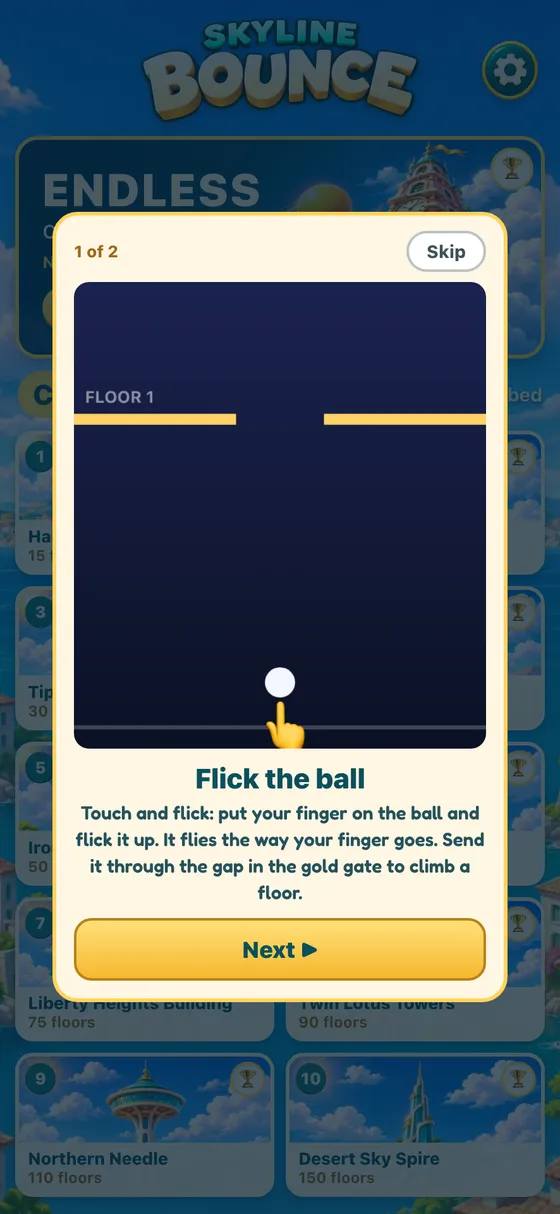
The first time you play, a short two page tutorial shows this with a cartoon finger. You can skip it, and you can watch it again from Settings on the home screen, which also has the rules in short.
On a computer you use the mouse instead: click a ball and drag the way you want it to fly.
Your first floors
You start on Floor 0 with one ball. The label NEXT GATE points at the gap you are aiming for.
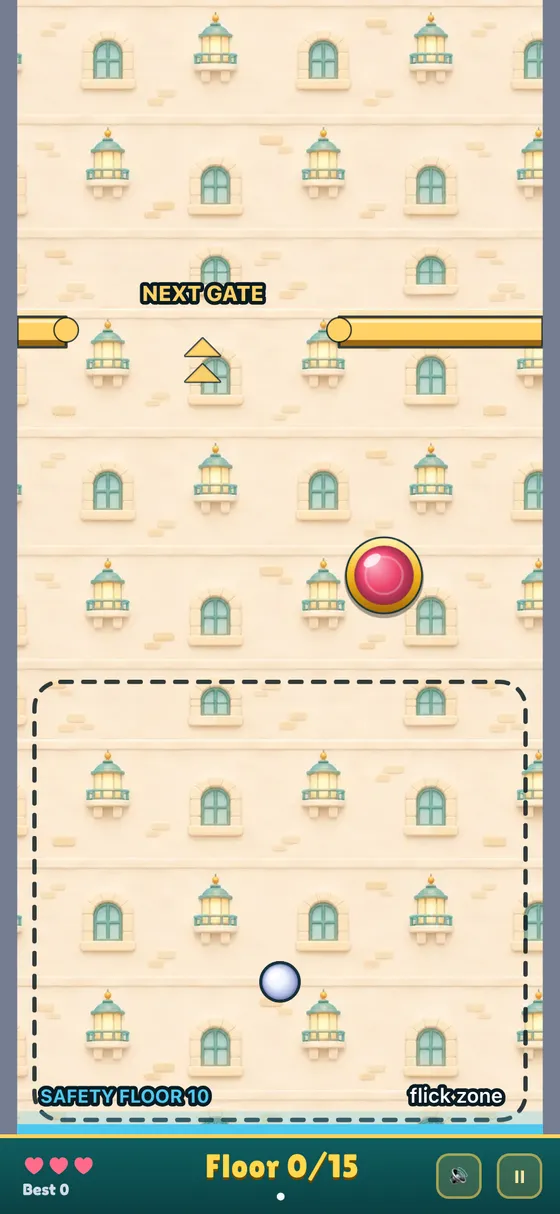
The first floors play in slow motion. Balls move at 60% of full speed on Floor 0 and get a little faster with every floor. From Floor 8 on, they are at full speed. This gives you time to learn the flick before things get busy.
Aim for the middle of the gap, not the edge. A ball that clips the end of the bar bounces back down, and you have to catch it and try again.
The gap also gets smaller as you climb. At the first gate it is a little over half the width of the building. It shrinks a bit on each floor until, from about Floor 18, it is only about a third.
Bumpers
The round, shiny buttons on the wall are bumpers. A ball that hits one is pushed away hard, like in pinball.
Floors 0 to 5 have one bumper each. Then the count grows: two on floors 6 to 10, three on 11 to 15 and four on 16 to 29.
Bumpers can help or hurt. A ball you aimed badly can bounce off one and still go up through the gap. It can also hit one and come straight back at you. Most bumpers sit above the flick zone so they do not get in the way of your finger. On the lower floors only one is allowed inside the zone.
Moving bumpers
From Floor 30, some bumpers start to move. The first time you get there, the game tells you with BUMPERS ON THE MOVE! across the screen.
Each moving bumper follows its own path, marked on the wall with a white dotted line. There are four kinds of path: side to side, up and down, a W and a square.
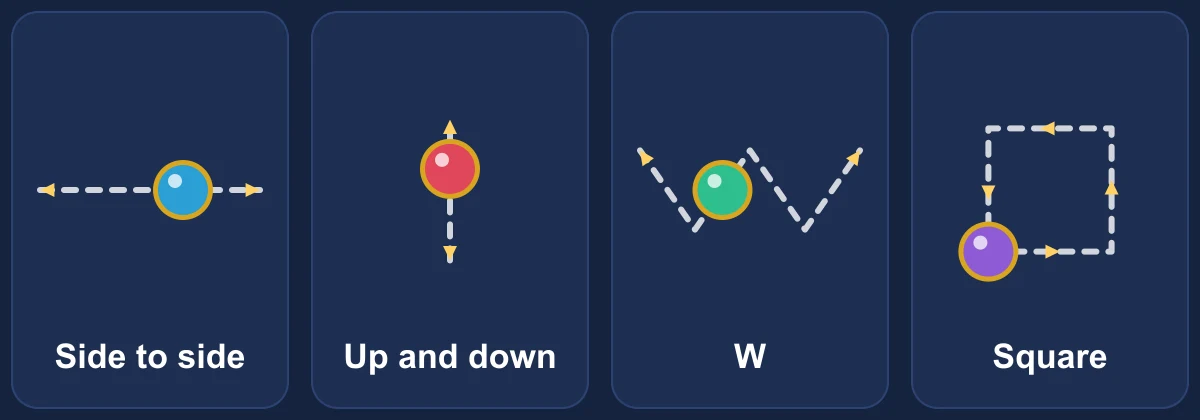
They move slowly. On a full length side to side path a bumper takes 2 seconds to get from one end to the other. On a crowded floor a path can be shorter, but every moving bumper goes at that same slow speed. They also stay out of the flick zone, so they never get in the way of your finger.
This is how many there are:
| Floors | Still bumpers | Moving bumpers |
|---|---|---|
| 30 to 39 | 3 | 1 |
| 40 to 69 | 2 | 2 |
| 70 to 99 | 3 | 2 |
| 100 and up | 2 | 3 |
On a crowded floor there is not always room for every path, and then one of the moving bumpers stands still instead.
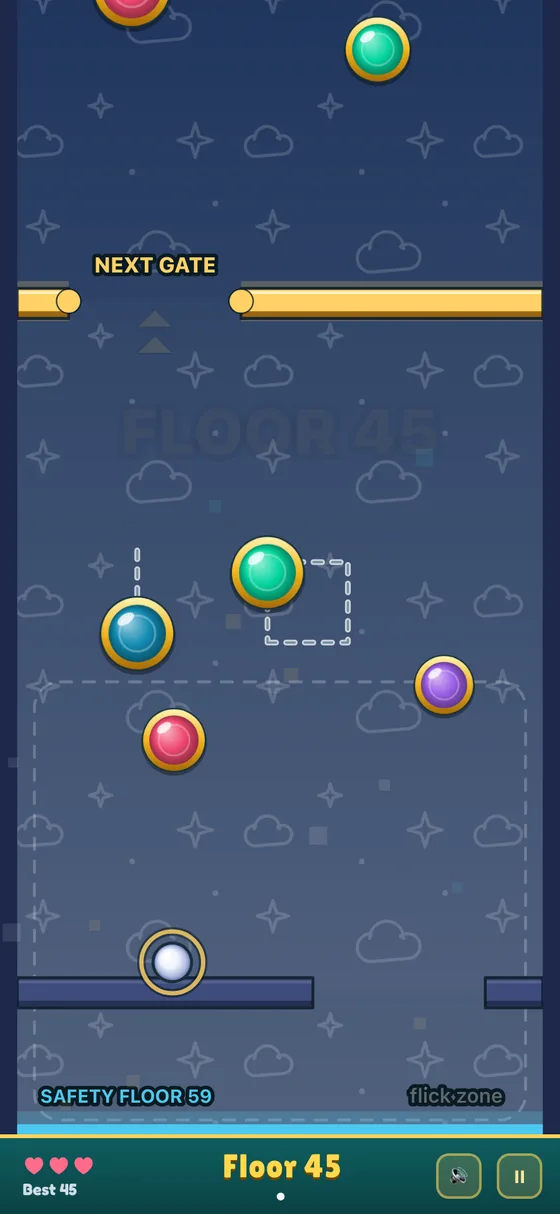
A moving bumper hits a ball the same way a still one does. If it slides into a ball, it pushes the ball along. The best way to deal with one is to watch it for a second and flick when it is moving away from the gap.
More balls, more trouble
This is what makes Skyline Bounce hard. You start with one ball, but new balls drop in as you climb. They come at gates 2, 4, 7, 11 and 16, then 22, 29 and so on, with each wait one floor longer than the one before. You can have up to five balls in play.
A new ball floats down slowly until you touch it, so you always have time to reach it. You only need one ball through each gap to climb a floor. The others just need to stay up. Keep flicking the ball that is closest to the gap, and tap the rest up so they don't fall out of the bottom.
The dots under the floor count at the bottom of the screen show how many balls you have in play. A number like +1 next to them is how many spare balls you have saved (more on spares below).
Lives and the safety floor
You have three lives, shown as hearts in the bottom left corner.
A ball that falls past the bottom of the screen is gone. Lose one ball and you play on with the rest. You lose a life only when every ball in play is gone. Then a fresh ball drops in and you carry on from the same floor.
At the start of each life the bottom of the screen turns into a blue safety floor. It bounces falling balls back up, so you can't lose a ball while it is there. It lasts 15 seconds, flashes for its last 3 seconds, and then goes away. A label in the corner counts it down.
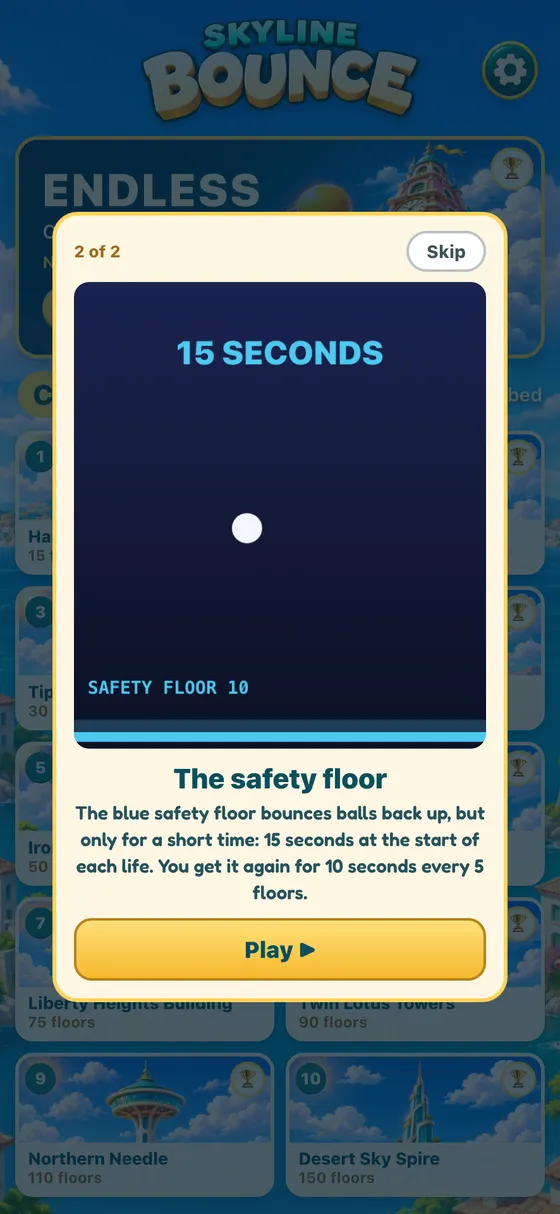
The safety floor also comes back for 10 seconds every time you reach a floor that is a multiple of five: Floor 5, 10, 15 and so on. There is one more free save: while the screen is moving up after a gate, the bottom edge bounces balls back too. So getting a ball through a gap never costs you a ball by itself.
Bank pockets
Every third floor has a gold BANK slot on the left wall. Knock a ball into it and that ball is saved for later as a spare, and a new ball drops in to take its place.
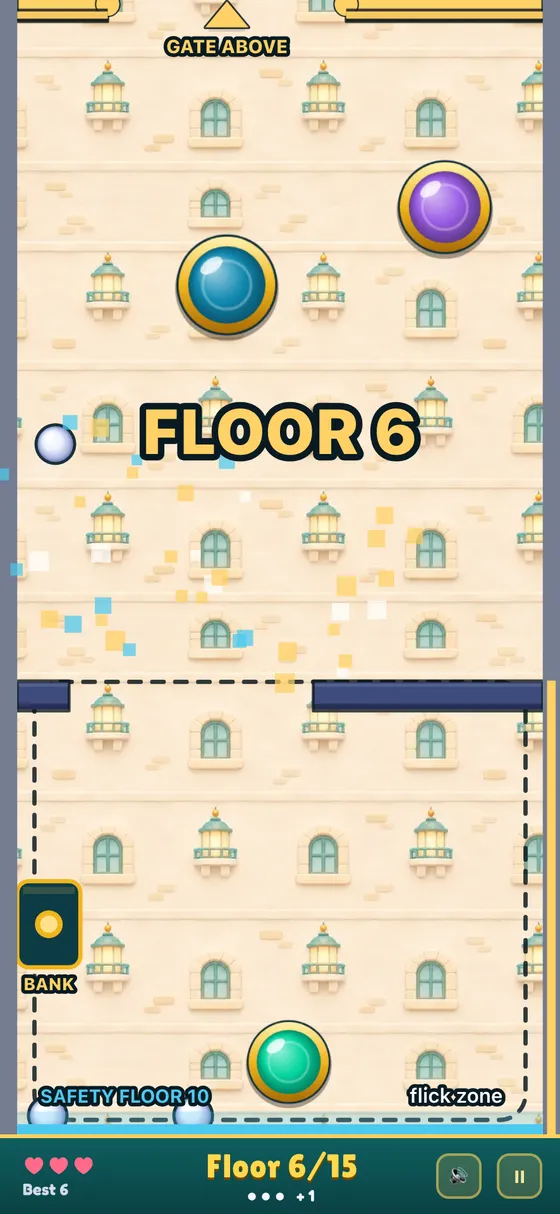
A spare is worth a lot. When your last ball falls, the spare comes into play instead of you losing a life. Each bank works once. After you use it, it turns dark and says USED.
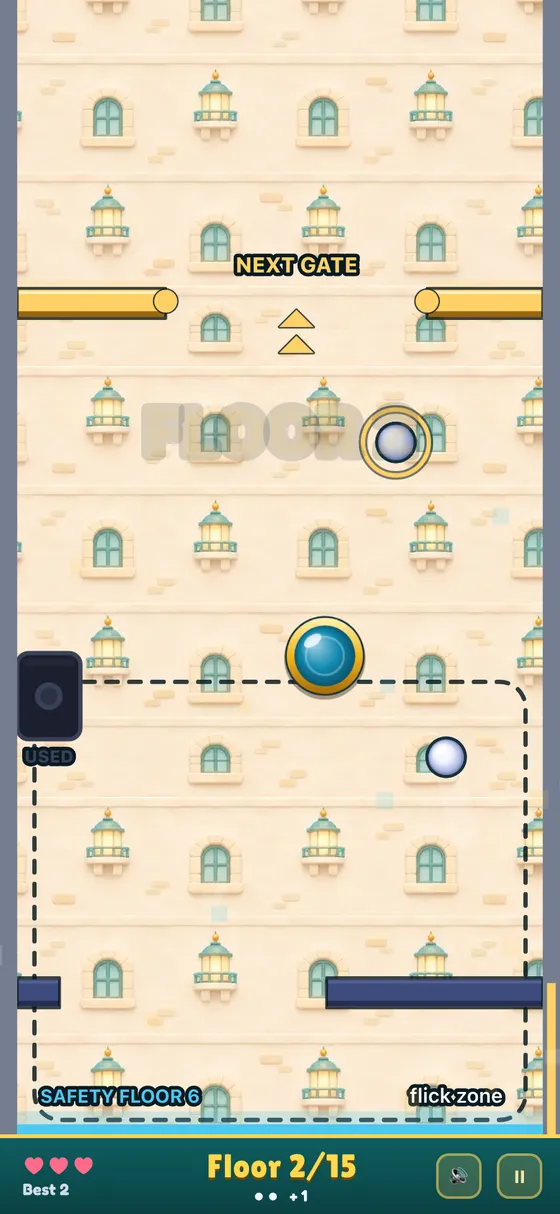
If you have a spare ball and a bank coming up, it can be worth aiming at the bank on purpose. One flick there is like an extra life.
The 20 towers
Tap PLAY on the title screen and you get the tower list. At the top is Endless. Below are 20 towers in two sets of ten: Classic and Modern. All of them are open from the start.
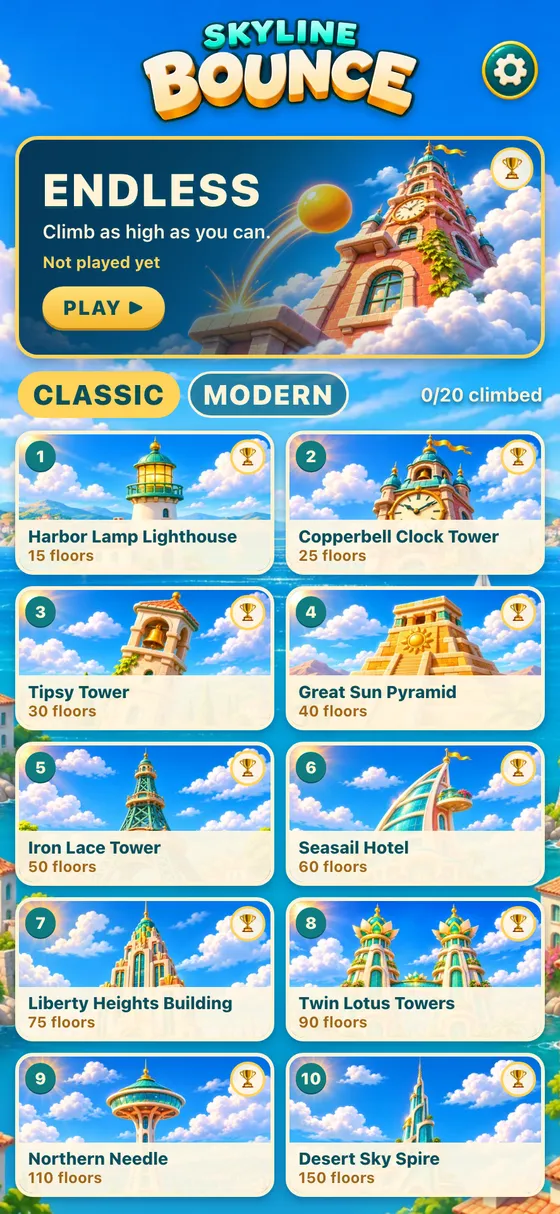
The Classic towers are old style landmarks:
| # | Tower | Floors |
|---|---|---|
| 1 | Harbor Lamp Lighthouse | 15 |
| 2 | Copperbell Clock Tower | 25 |
| 3 | Tipsy Tower | 30 |
| 4 | Great Sun Pyramid | 40 |
| 5 | Iron Lace Tower | 50 |
| 6 | Seasail Hotel | 60 |
| 7 | Liberty Heights Building | 75 |
| 8 | Twin Lotus Towers | 90 |
| 9 | Northern Needle | 110 |
| 10 | Desert Sky Spire | 150 |
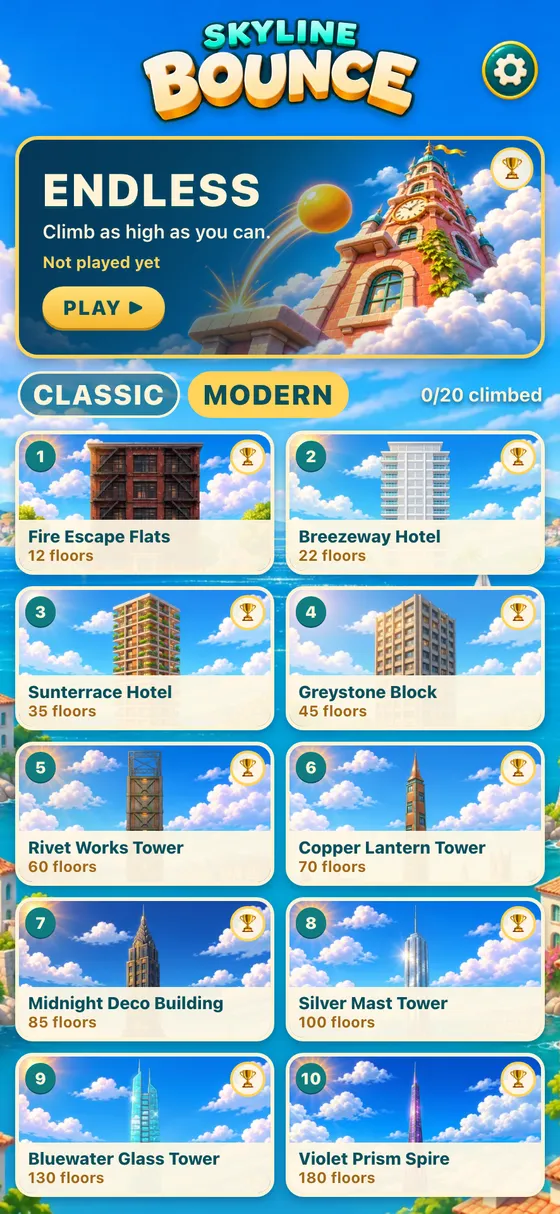
The Modern towers are city buildings:
| # | Tower | Floors |
|---|---|---|
| 1 | Fire Escape Flats | 12 |
| 2 | Breezeway Hotel | 22 |
| 3 | Sunterrace Hotel | 35 |
| 4 | Greystone Block | 45 |
| 5 | Rivet Works Tower | 60 |
| 6 | Copper Lantern Tower | 70 |
| 7 | Midnight Deco Building | 85 |
| 8 | Silver Mast Tower | 100 |
| 9 | Bluewater Glass Tower | 130 |
| 10 | Violet Prism Spire | 180 |
The shortest tower in the game is Fire Escape Flats at 12 floors, so it is a good first climb. Harbor Lamp Lighthouse at 15 is the Classic one to start with.
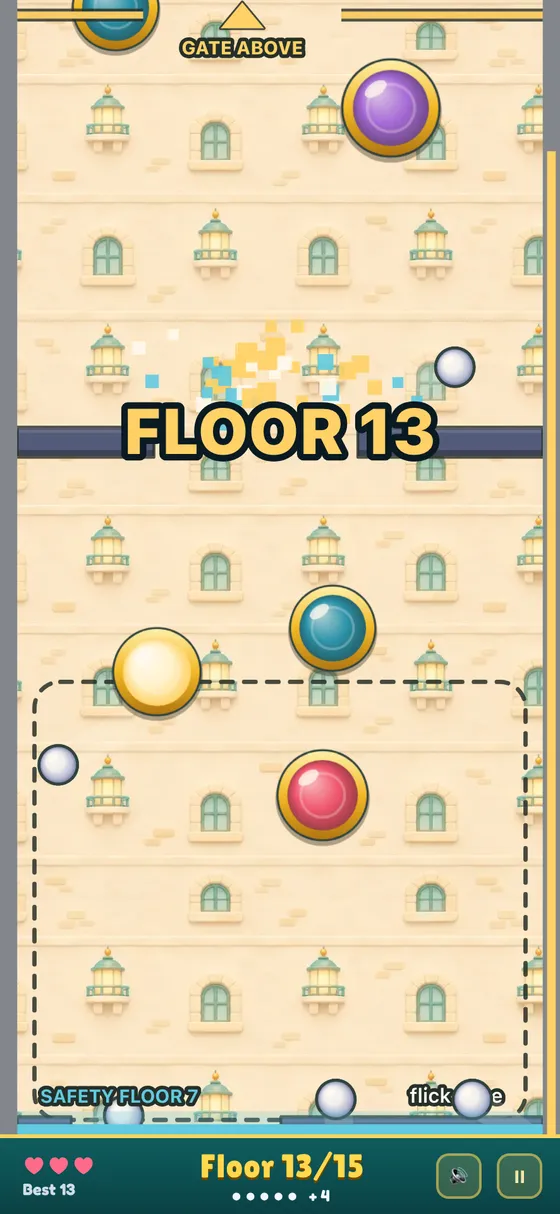
Every tower has its own painted wall that you climb past. Here is the Sunterrace Hotel, with its rows of balconies, on Floor 17 of 35 with all five balls in play.
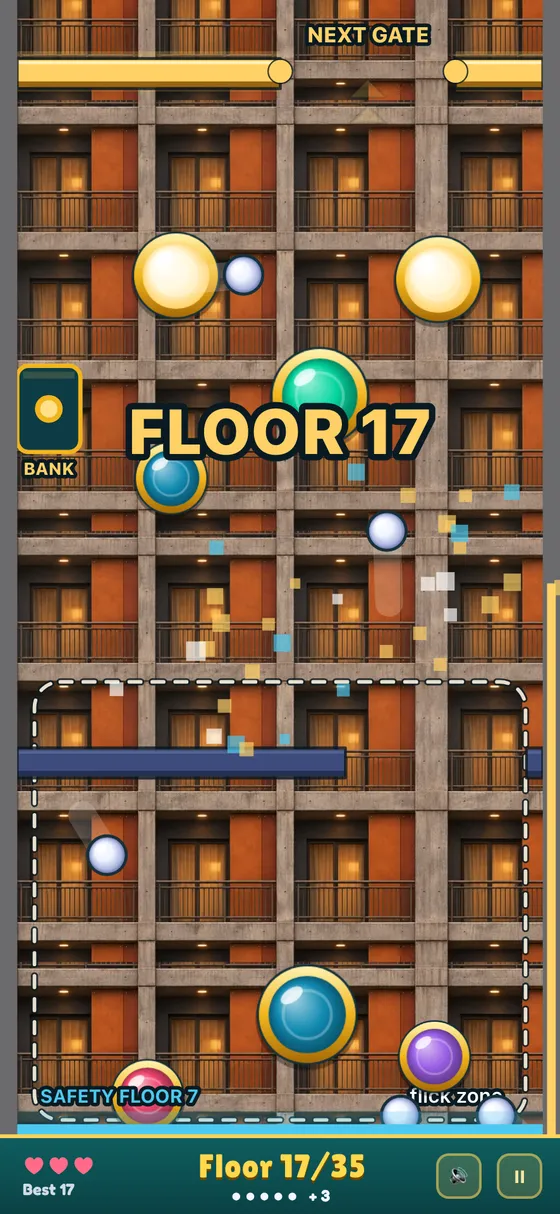
The floors themselves are built by the game from a fixed pattern, so a tower is the same every time you play it. That means you can learn it. The second time up the Copperbell Clock Tower, you know where the bumpers are. Moving bumpers follow the same path every time too.
Climbing a tower
Get a ball through the top gate and you see TOWER CLIMBED! with your time. The game keeps your best time for each tower, and the counter on the home screen shows how many of the 20 you have climbed.
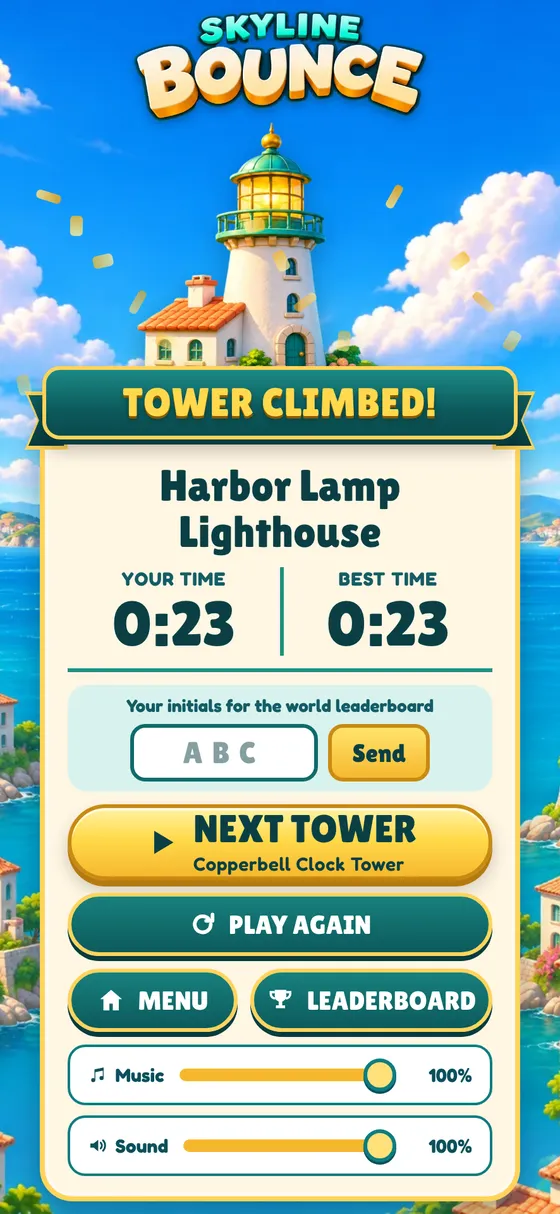
Type three initials and tap Send to put your time on that tower's world Top 10. On a tower, the board is sorted by the highest floor first, then by the fastest time. So once lots of people reach the top, it becomes a race. NEXT TOWER takes you straight to the next one in the list.
Endless
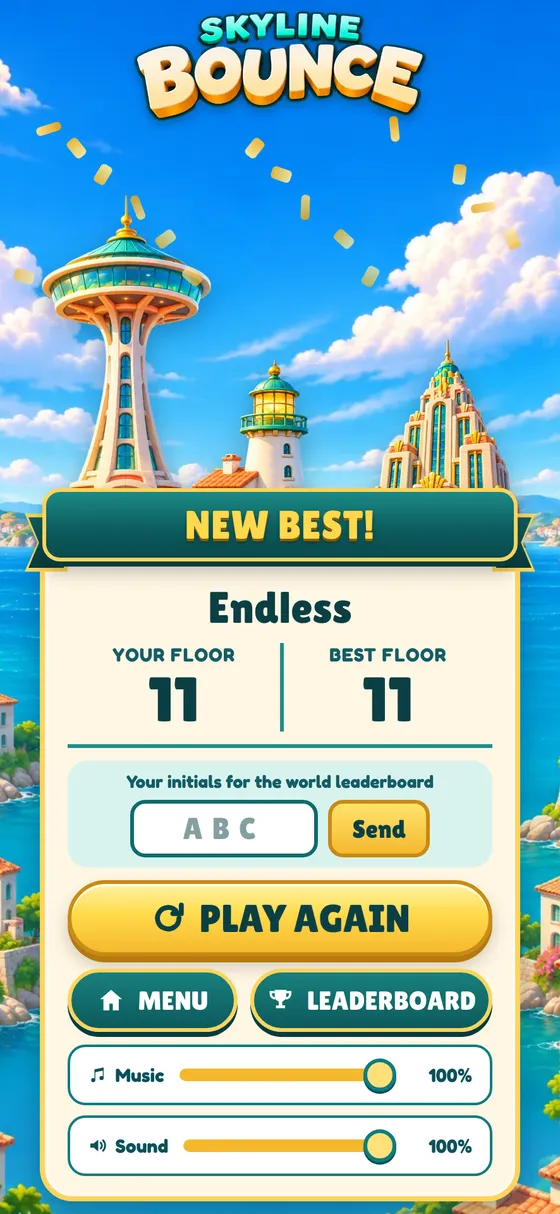
Endless has no top floor. You climb until your lives run out, and your score is the highest floor you reach. It has its own world Top 10.
Past Floor 30 the bumpers start to move, the gap stays narrow and the balls keep dropping in, so Endless is where the five-ball floors and the safety floor timing matter most.
Out of lives
When your last life goes, a card shows your floor and the ways to keep going. Each one gives you three more lives, and you carry on from the same floor.
- USE A CONTINUE spends one of your saved continues. It only shows up if you have some, and the line under it says how many you have left.
- WATCH AD: +3 LIVES plays a short ad. You can do this once per climb.
- GET CONTINUES opens the shop, where you can buy packs of 3, 10 or 30 continues. The Shop button at the top of the home screen opens the same shop.
- NO THANKS ends the run.
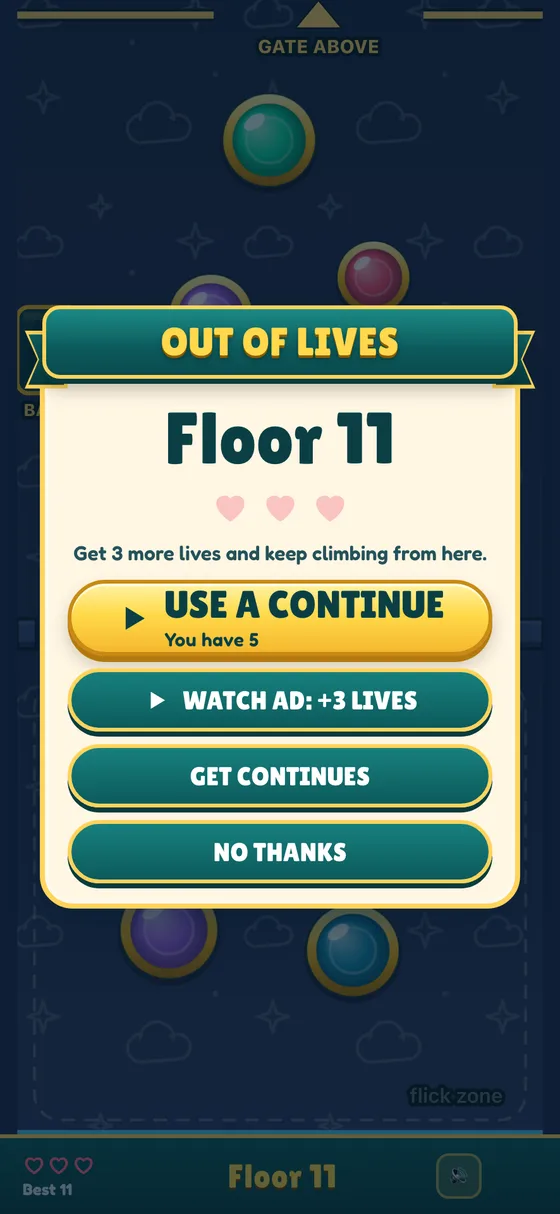
You can get more lives at most three times in one climb, ads and continues counted together. After that the card does not come back, so nobody can buy their way up a Top 10. Continues you don't use stay saved for your next climb.
If you say no thanks, you get your result. A new best floor gets a NEW BEST! banner.
Pausing and coming back later
Tap the pause button in the bottom right corner during a climb. From there you can keep going, change the music and sound volume, or quit to the menu.
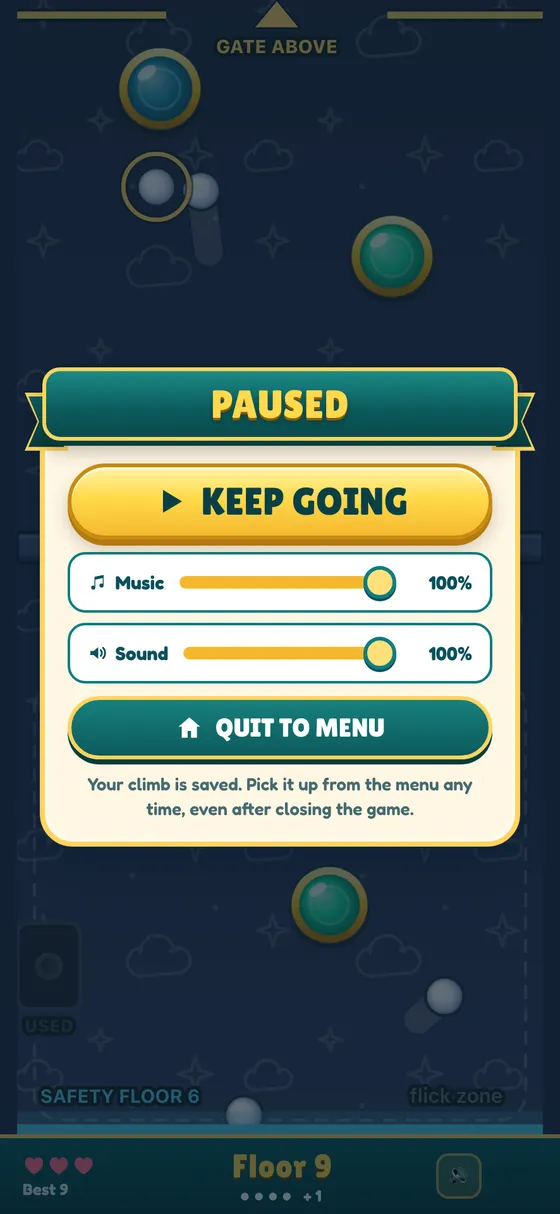
Your climb is saved. If you quit or close the game, you can pick it up from the menu later. When you come back, a 3-2-1 count gives you a moment before the balls move again.
Tips for climbing higher
- Use short flicks. The speed is the same whatever you do, so a long swipe only costs you time. Touch, move a little, let go.
- Aim at the middle of the gap. The edges of the bar send balls back down.
- Keep the low balls up first. A ball high on the screen will take a while to fall. The one near the bottom is the one you are about to lose.
- Climb fast while the safety floor is up. For those 15 seconds you can't lose a ball, so take risky shots at the gap then.
- Every fifth floor (5, 10, 15 and so on) brings the safety floor back. If things are going badly, one more gate can save the run.
- A spare ball from the bank is a free life. It is worth a flick when the gap is hard to reach.
- From Floor 30, wait for a moving bumper to slide out of the way before you flick at the gap.
- The layout of a tower is the same every time, so play a tower again to beat your best time.
Questions people ask
Is Skyline Bounce free? Yes. You never have to pay. The shop sells continues (each one gives three more lives when you run out) and No Ads, which turns off the ad between games.
Do I need an account? No. There is no sign up. Your progress and best times are saved on your phone. The only thing you ever type is three initials for a Top 10.
Can I play it on my phone? Yes. Skyline Bounce is made for iPhone and Android. Use this link and it takes you to the right store for your phone.
Does deleting the app delete my progress? Yes. Your progress lives only on your phone, so removing the app removes it. Your initials on a world Top 10 stay there. If you want them taken off, see our support page.
If you like quick games you can pick up for a minute, see all our games or read more on our blog.
Related articles
Pairdle Hunt: How to Play and the Math of Hidden Words
Pairdle Hunt is Logic Loft's new word-hunt game, coming soon to iOS and Android. How to play, how scoring works, and how many words hide in one grid.
How to Play 2048: the Rules, the Math, and Whether the Corner Trick Works
The rules of 2048 in plain words, the math under the tiles (why a 2048 takes about 1,000 moves and scores about 20,000), and 40,000 computer games that test the corner trick.
How to Play Spelling Bee: Rules, Scoring and a Worked Puzzle
Spelling Bee rules and scoring in plain words, one puzzle of ours solved step by step, where the points are in 25,179 puzzles, and a hive you can play.